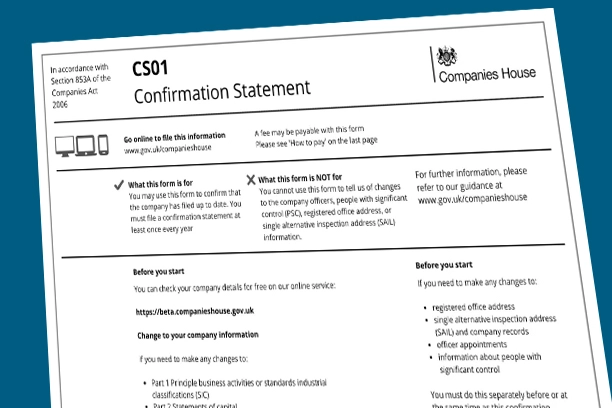
A guide to the Companies House authentication code

All UK limited companies receive a company authentication code from Companies House upon their incorporation.
Whether the company was formed online or through paper documents, a company authentication code is assigned.
In this blog post, we will explore what the authentication code entails, how to find yours, the process for requesting a new code, and how to update it if necessary.
Let's begin.
What is the company authentication code?
The company authentication code is a 6-digit alphanumeric code (comprising numbers and letters) issued by Companies House. It functions much like an online signature, enabling authorized individuals such as company directors to perform various online tasks for the company.
Tasks that can be executed using the authentication code include :
- Filing a confirmation statement
- Submitting dormant company accounts
- Filing a return of shares allotment
- Appointing or resigning directors
- Appointing or resigning secretaries
- Changing the company’s registered office address
- Changing the company’s accounting reference date
As these tasks have significant implications, the authentication code should be safeguarded similarly to a PIN number for a credit card. It is advisable to share the code only with trusted individuals within your company, your accountant, and your company formation agent.
If your authentication code is compromised, it is crucial to report it immediately by emailing integritycomplaints@companieshouse.gov.uk, providing as much detail as possible.
Locating your company authentication code
If you registered your company directly with Companies House, your company authentication code would have been sent to your registered office address shortly after incorporation. You should receive this within a few weeks.
If you used a company formation agent (such as us) to form your company, they typically provide an online manager facility where you can immediately view your authentication code after incorporation.
If you formed your company with us, you can retrieve your authentication code as follows:
- Log in to your HopeTex account.
- Select the ‘My Companies’ option from your dashboard.
- Click on the 'View' magnifying glass icon or select your company’s name.
- You will find the authentication code listed next to ‘Auth. Code’.
Following these steps will allow you to access and manage your company authentication code effectively.
Requesting a lost authentication code
If you've misplaced the Companies House authentication code letter and your company is not managed through an online company manager, you can request a new code to be sent to your registered office or home address. Here's how you can do it:
- Sign in to Companies House WebFiling – or register if you haven’t done so already.
- Click on ‘Request an authentication code’.
- Provide your company registration number.
- Click on ‘Request code’.
You should receive the new authentication code within 5 days of making the request.
This process is straightforward and ensures you regain access to your company’s WebFiling capabilities promptly.
Changing your company authentication code
If you want to change your company authentication code, follow these steps:
To change your code on Companies House WebFiling:
- Sign in to Companies House WebFiling – or register if you haven’t done so.
- Click on ‘Company authentication’.
- Choose a new 6-character code and re-enter it for confirmation.
- Click ‘Change code’ – the update will take effect immediately.
If your company is managed through our system, you should also update it there:
- Log in to your HopeTex account.
- Select the ‘My Companies’ option from your dashboard.
- Click on the 'View' magnifying glass icon or select your company’s name.
- Click ‘Edit’ next to ‘Auth. Code’.
- Make the necessary update.
Please note, changing the code in our system updates our records but does not change the actual authentication code used for Companies House WebFiling. To change the actual code, follow the steps provided earlier in this section.
Remember to choose a new code that is not obvious and consider using different codes for each company if you manage multiple companies.
Thanks for reading
So there you have it – how to find your code, request a new code, or change your existing code.
We trust you found this blog post informative and useful. If you have any questions, please feel free to leave a comment.
Need a hand with Companies House?
From formation to filings and registered office addresses, the HopeTex team can take care of the paperwork for you.